How to abort a running collector in RSA Identity Governance and Lifecycle
Originally Published: 2017-04-11
Article Number
Applies To
RSA Version/Condition: 6.9.1, 7.0 and 7.0.1
Issue
Resolution
Any collector that has been running for a long time can be killed in the following manner through the UI:
- Once the collector is in running state navigate to Admin > Monitoring.
- In the Data Runs tab on the top we see a button called Actions.
- Determine the number of currently pending runs.
- If there is only one currently pending run, select the run ID of the pending run and click the Actions button then click Cancel selected pending run.
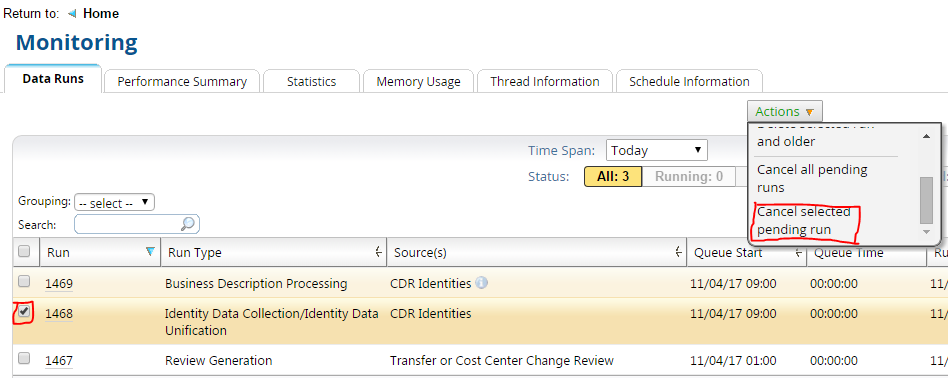
- If there is more than one currently pending run, click on the down arrow key on the Actions button and choose Cancel all pending runs.
Notes



