RSA SilverTail Profile Analyzer license installation and renewal
Originally Published: 2015-05-26
Article Number
Applies To
RSA Product/Service Type: Forensics - SilverTail
RSA Version/Condition: 4.6
Platform: Linux
Product Name: RSA SilverTail / Web Threat Detection
Product Description: Web Forensics and Monitoring
Issue
Profile Analyzer is installed by default in SilverTail. However, Profile Analyzer is a licensed feature of SilverTail and requires that a license be installed on the system to function properly.
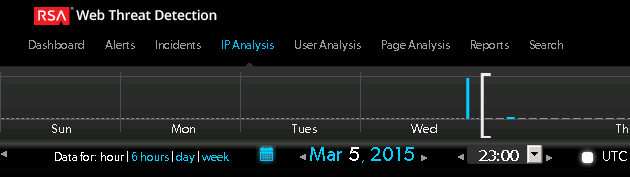
Example of Forensics UI without Profile Analyzer:
Tasks
Requirements:
Access to SilverCat configuration interfaceLicense files for Profile Analyzer
Zip file that contains *.license and *.license.sig files.
After obtaining license files unzip them and move them to the SilverTail server that will be hosting the Profile Analyzer component (ProfileUpdater).
How to install renewed license:
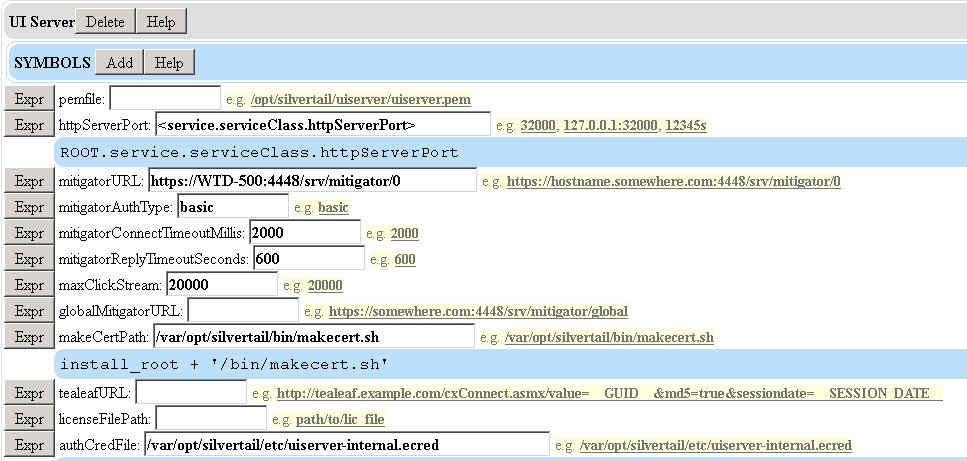
If there has been a license previously installed go to SilverCat>UI Server>licenseFilePath
This will give you the location of where the license was previously installed. If there is a location here we need to place the new *.license and *.license.sig files in that directory or create a new directory for the new license files and change the configuration to point to the new directory in the licenseFilePath configuration.
How to install new license:
I have created a new directory Profile_Analyzer at /var/opt/silvertail/certs and unzipped the *.license files there:

In a new Profile Analyzer install, add the location I made for the license files in the UI Server setup page in SilverCat:
5.x servers do not have Profile_Analyzer setup by default. Go to the ProfileUpdater section to setup Profile Analyzer in SilverCat:
Add the pending, inProcess, failed, and completed directories.
Edit Report Builder to have it's pending directory be the profileupdater out directory:
Default setting:
New setting:
Push the configuration changes:
Resolution
Log back into Forensics UI:
If everything is working as it should the Profile Analyzer link will be at the top of the page.



