Unable to upload customized Aveksa privileges in RSA Identity Governance and Lifecycle
Originally Published: 2017-03-17
Article Number
Applies To
RSA Product/Service Type: Enterprise Software
RSA Version/Condition: 6.9.x, 7.0.x
Issue
When uploading a SecurityContext.csv with the following example:
SECURE_OBJECT_TYPE,NAME,ACTION,IMPLICIT_HAS_QUERY,IMPLICIT_BS_CHANGE,IMPLICIT_BU_CHANGE,SCOPE_TABLE,SCOPE_FILTER Application,View Bugzilla_Perforce_Bond Tech,View,,,,t_applications,name in ('Bugzilla','Perforce','Bond Tech') Application Accounts,Manage Bugzilla_Perforce_Bond Tech,Manage,,,,t_applications,name in ('Bugzilla','Perforce','Bond Tech')
The following error occurs:
Incorrect number of fields.
Should be 8 found 10.
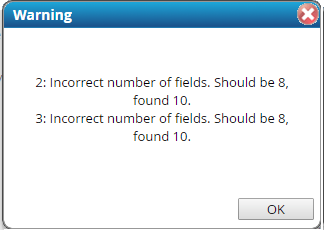
Should be 8 found 10.
Resolution
SECURE_OBJECT_TYPE,NAME,ACTION,IMPLICIT_HAS_QUERY,IMPLICIT_BS_CHANGE,IMPLICIT_BU_CHANGE,SCOPE_TABLE,SCOPE_FILTER Application,View Bugzilla_Perforce_Bond Tech,View,,,,t_applications,"scope.name in ('Bugzilla','Perforce','Bond Tech')" Application Accounts,Manage Bugzilla_Perforce_Bond Tech,Manage,,,,t_applications,"scope.name in ('Bugzilla','Perforce','Bond Tech')"
Notes



